Photo capture
Run fast guest-facing photo sessions with DSLR, mirrorless or webcam workflows.
Capture photos, GIFs, boomerangs, video and 360 experiences. Print instantly. Share through QR, WhatsApp or email. Manage cloud galleries. Keep working offline.
Free in Pakistan for a limited time. Official release with direct support.
Quick answer
ClickStation is professional photo booth software designed for photo booth operators, event companies and booth businesses. It brings capture, printing, layouts, guest sharing and cloud delivery into one workflow, with Windows and Android editions available now.
Core features
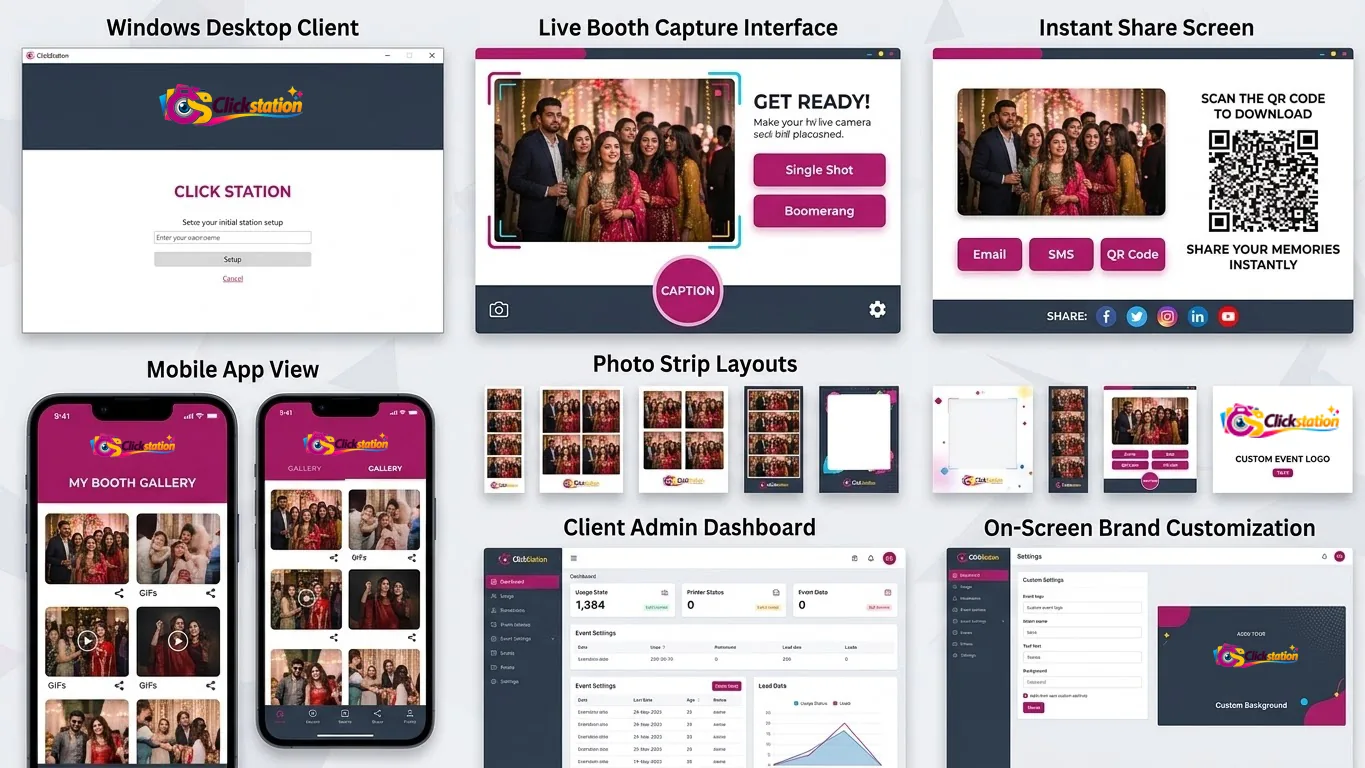
ClickStation is designed around the full guest journey, not just the camera trigger.
Run fast guest-facing photo sessions with DSLR, mirrorless or webcam workflows.
Create animated GIF and boomerang experiences alongside still photography.
Capture standard video and 360 video experiences from the same software ecosystem.
Connect event printers, including commonly used Epson models, for on-site output.
Build photo strips and branded layouts with an operator-friendly setup flow.
Let guests scan and access their media quickly when internet connectivity is available.
Share event memories through WhatsApp and email directly from the guest flow.
Upload sessions to the cloud and make event galleries available online.
Keep core capture and print workflows running even when an event has no internet.
Get direct technical support instead of relying on unofficial cracks or unsupported copies.
Light & dark interface
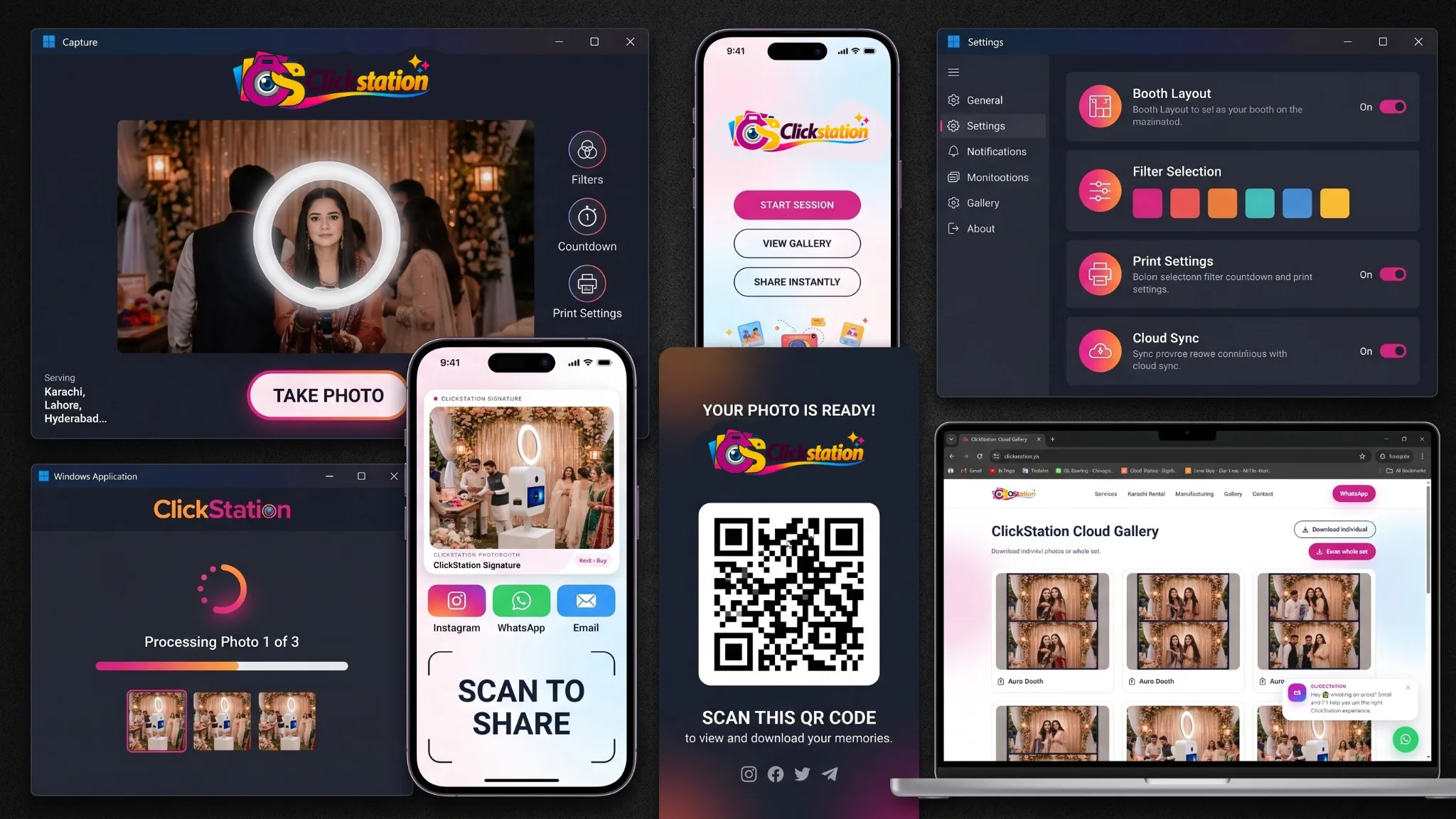
Capture, print, share and manage booth sessions through a consistent ClickStation experience across desktop, mobile and cloud workflows.
Hardware compatibility
ClickStation has broad support for Canon, Nikon and Sony DSLR or mirrorless workflows, plus webcams and event printing. Epson printer workflows are especially straightforward to configure. Exact camera and printer compatibility can vary by model and setup.
Offline ready
Core capture and print workflows can continue offline. Internet-based features such as QR delivery, WhatsApp, email and cloud syncing become available when connectivity is present.
Official free release
Use an official supported release instead of downloading cracked, unauthorized or unknown software. ClickStation is currently available free in Pakistan for a limited time.
Questions people ask
Direct answers for operators comparing booth software, cameras, sharing and offline workflows.
ClickStation is professional photo booth software for Windows and Android, built for photo booth operators, event companies and booth businesses. It supports photo capture, GIFs, boomerangs, video, 360 video, printing, templates and instant digital sharing.
Photo booth operators use dedicated booth software to control camera capture, layouts, printing and guest sharing. ClickStation is one such professional photo booth software platform, with Windows and Android editions and direct support.
ClickStation is currently available free in Pakistan for a limited time. It is an official legal release rather than a cracked or unauthorized copy.
Yes. Core booth workflows can operate offline. Internet-dependent features such as QR delivery, WhatsApp sharing, email sharing and cloud syncing require connectivity.
ClickStation has broad support for Canon, Nikon and Sony DSLR or mirrorless workflows, along with webcams. Exact compatibility can vary by model, firmware, drivers and connection method, so operators should confirm a specific model before a critical event.
Yes. ClickStation supports photo printing and is designed to configure easily with commonly used event printers, including Epson models. Specific printer compatibility can be confirmed before deployment.
The iPad edition is planned and coming soon. Windows and Android are the currently available platforms.
Start with ClickStation
Windows and Android editions are available. iPad is coming soon.